
ActiveAdmin overview
ActiveAdmin is Jericho’s internal admin interface. It is powerful and should be treated as a privileged support tool.
What ActiveAdmin is for
Section titled “What ActiveAdmin is for”Use ActiveAdmin to:
- Locate customer organizations.
- Confirm tenant configuration.
- Check relationships between parent and child organizations.
- Verify setup state before escalating to engineering.
What ActiveAdmin is not for
Section titled “What ActiveAdmin is not for”Do not use ActiveAdmin to:
- Browse unrelated customers.
- Make speculative changes.
- Change authentication or tenant-scoping settings without a runbook.
- Pull secrets into tickets or screenshots.
Safe navigation pattern
Section titled “Safe navigation pattern”- Start from the customer name in the support request.
- Search for the organization in ActiveAdmin.
- Confirm the customer domain or other non-sensitive identifier.
- Open the organization page.
- Verify you are in the correct tenant before viewing related records.
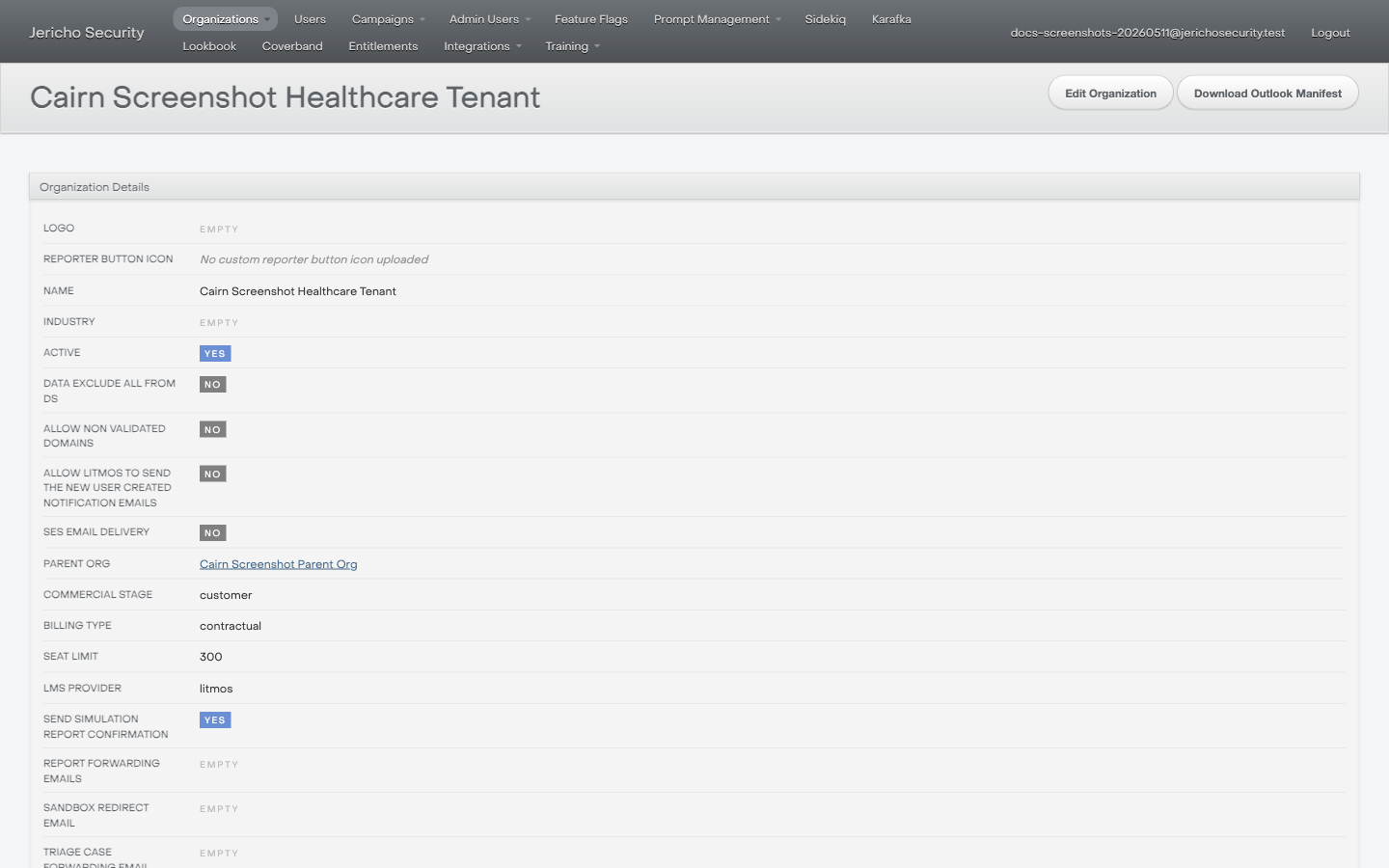
The organization detail page is the checkpoint before tenant-specific work. Confirm the tenant name and non-sensitive settings before continuing.
Screenshot rule
Section titled “Screenshot rule”Screenshots are helpful, but remove or crop:
- API tokens.
- Email addresses unless needed for the ticket.
- Customer-sensitive employee data.
- Any unrelated tenant information.