
Verify Litmos team enrollment
Use this when a customer asks whether users are being added to the correct Litmos team.
Before you begin
Section titled “Before you begin”You need:
- Customer organization.
- User email.
- Expected Litmos team.
- Expected course or learning path, if relevant.
- Open ActiveAdmin.
- Confirm the user belongs to the correct Jericho organization.
- Open Litmos admin.
- Search for the user by email.
- Confirm the user exists.
- Open the user’s team memberships.
- Confirm whether the expected team is present.
- Open assigned courses or learning paths if the request is training-specific.
- Record the visible state.
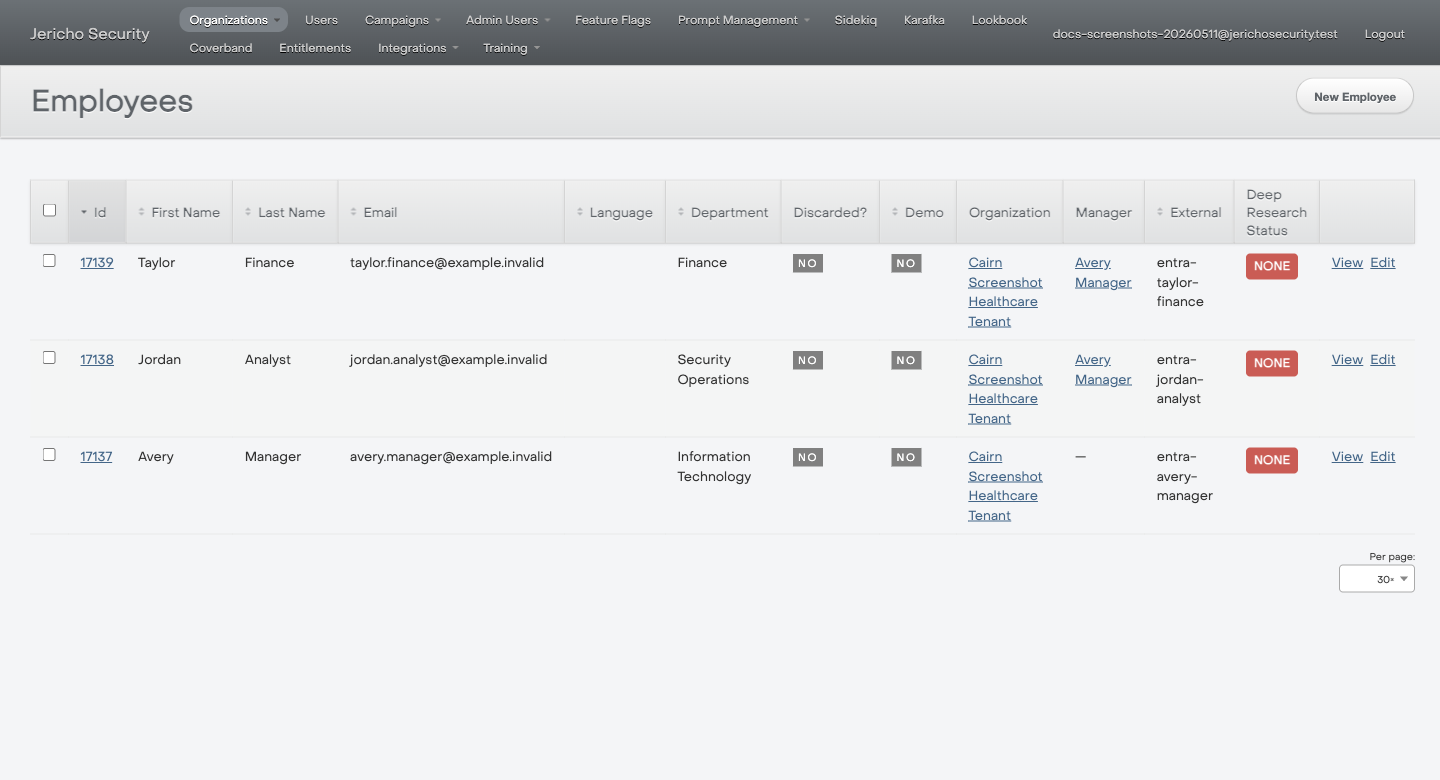
Before checking Litmos, confirm the user is under the correct Organization and has the expected manager or segmentation fields in Jericho.
Expected result
Section titled “Expected result”You can tell whether the user exists in Litmos and whether the expected team/training is assigned.
Escalate when
Section titled “Escalate when”- User exists in Jericho but not Litmos after the expected sync window.
- Litmos shows duplicate users.
- The user is in the wrong team and the reason is not obvious.
- A bulk set of users is missing.