
Troubleshoot Entra group to LMS sync
Use this when a customer expects Entra group membership to create or update Litmos training assignments.
Before you begin
Section titled “Before you begin”You need:
- Customer organization.
- User email or group name.
- Expected Litmos team.
- Expected training assignment.
- Open ActiveAdmin.
- Confirm the user exists under the correct organization.
- Check whether the user’s relevant group or segmentation fields are visible.
- Open Litmos admin.
- Search for the same user in Litmos.
- Confirm whether the user exists in Litmos.
- Confirm whether the user belongs to the expected Litmos team.
- Confirm whether the expected course/learning path is assigned.
- Record the mismatch:
- Exists in Jericho but not Litmos.
- Exists in Litmos but wrong team.
- Correct team but missing training.
- Correct training but wrong due/overdue state.
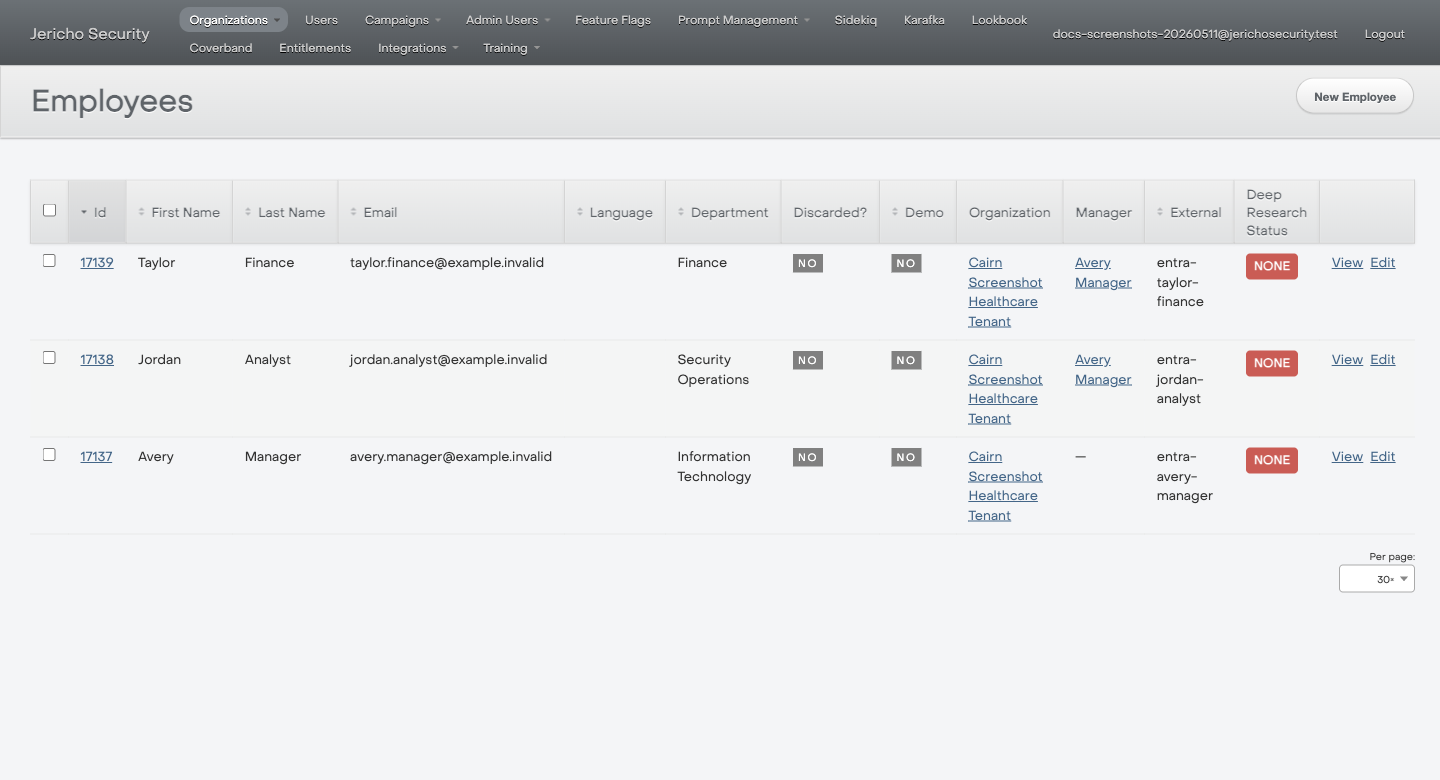
Use the Organization, Manager, and External columns to confirm the user is in the expected tenant and came from the expected identity source.
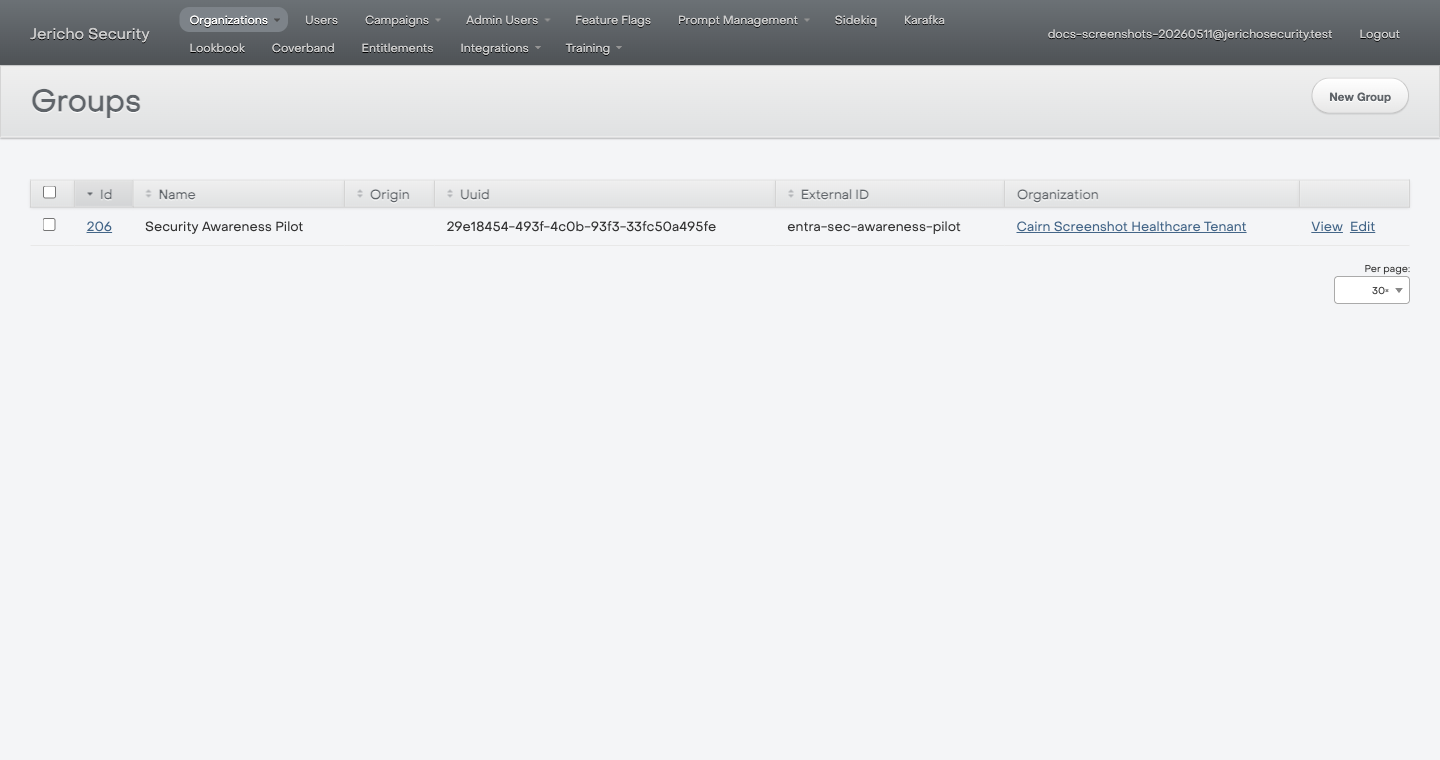
Use the Origin, External ID, and Organization columns to confirm the group is visible on the Jericho side before checking Litmos.
Expected result
Section titled “Expected result”You can identify where the chain appears to break from the operator-visible surfaces.
Escalate when
Section titled “Escalate when”- The user exists in Jericho but never appears in Litmos.
- Team assignment is wrong after the expected sync window.
- A whole group is missing.
- You need SCIM payloads, job logs, or database state.