
Verify Workday manager sync
Use this when a customer expects manager relationships to come from Workday.
Before you begin
Section titled “Before you begin”You need:
- Customer organization.
- Employee email.
- Expected manager name or email.
- Whether Workday sync is supposed to be enabled for the organization.
- Open ActiveAdmin.
- Find the customer organization.
- Check whether Workday integration status is visible for the organization.
- Find the employee record, if available.
- Check the manager field or relationship shown in ActiveAdmin.
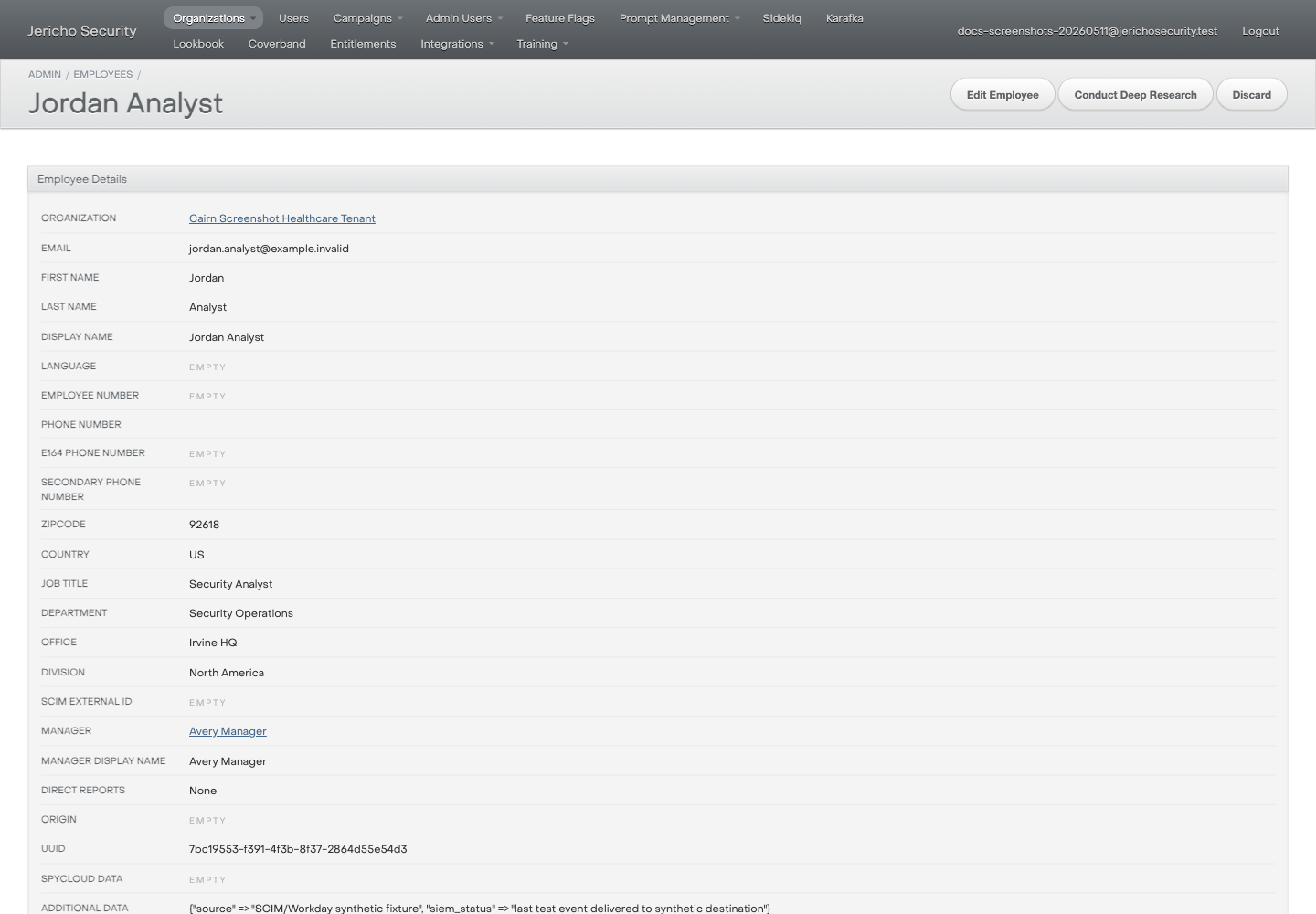
- Compare it with the customer-provided expected manager.
- Do not change manager fields unless a runbook explicitly authorizes that change.
Expected result
Section titled “Expected result”You can say whether ActiveAdmin shows the expected manager relationship.
Escalate when
Section titled “Escalate when”- Workday sync state is not visible in ActiveAdmin.
- The manager relationship is wrong for many users.
- The customer asks which source of truth wins between CSV, SCIM, and Workday.
- You need Workday credentials, job logs, or sync payloads.